Connected lifecycle
Customer → quote → sale → job → tasks → process → invoice stays on one record trail.

Manage the work after the sale.
See outstanding jobs, who owns the next task, which jobs are stuck and what is ready to invoice.
Turn accepted work into organised jobs, tasks and business processes while keeping the customer, sales history and team connected — built for Australian businesses of roughly 5–100 users that need CRM, sales and operations working together.
Built for Australian businesses using MYOB, Xero and Reckon.
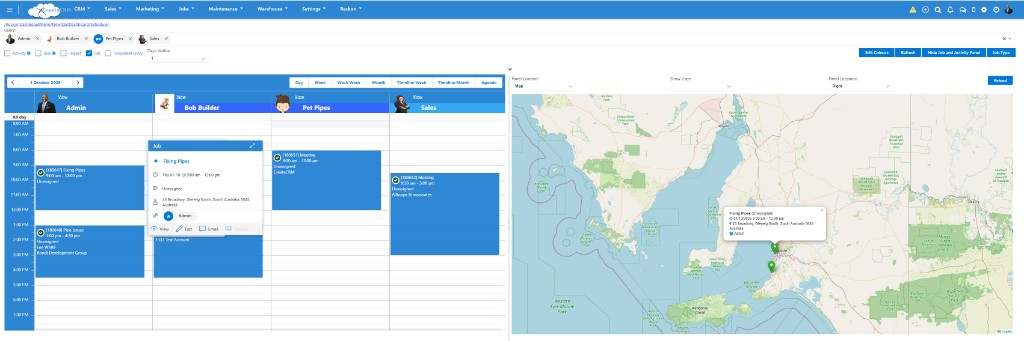
CreataCRM keeps the job on the same customer record as sales and activity — so work does not start again in a separate system. Start in Explore Customer Management, win work in Explore Sales CRM, deliver through Jobs, and fulfil stock through Warehouse where needed.
Accepted quotes and sales can flow into operational jobs so customer, product and delivery details do not need to be re-entered. The job stays linked to the same customer and sales history.
Sales wins the order. Operations opens the job with the customer, lines and delivery notes already attached — then assigns the first tasks.
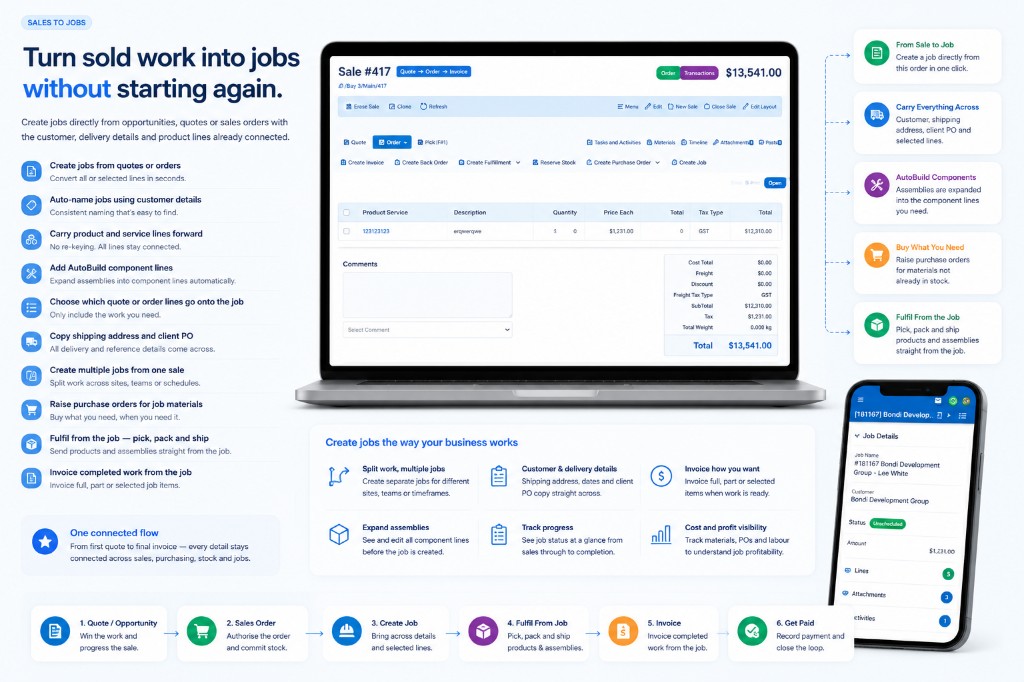
Sold work becomes a job without starting from scratch
A job is the overall piece of work for a customer. Tasks are the individual actions required to complete it — owned, tracked and visible against the same job and customer record.
One job for a site install can hold several tasks — schedule visit, install, review, customer sign-off — without losing the sales context.
One job record. Clear tasks. Connected customer history.
The Task Process Board lets you define process stages around your business. Tasks move through columns you configure, with ownership and job visibility in one place. The stages in the screenshot — Unassigned, Assigned, In Progress, Finished and Ready to be Invoiced — are one setup, not a required set. Yours can be different.
A coordinator filters the board by job type, sees what is waiting on review, and reassigns ageing tasks before the week starts.
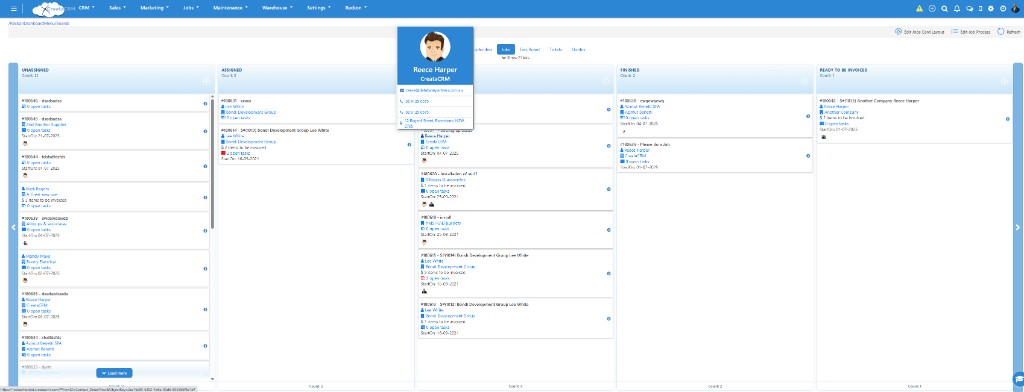
Task Process Board — configure stages to match your process
Configure processes, stages and actions around the way your team delivers work.
When a job reaches a review stage, the process can create a follow-up task and notify the owner — without rebuilding the workflow in email.
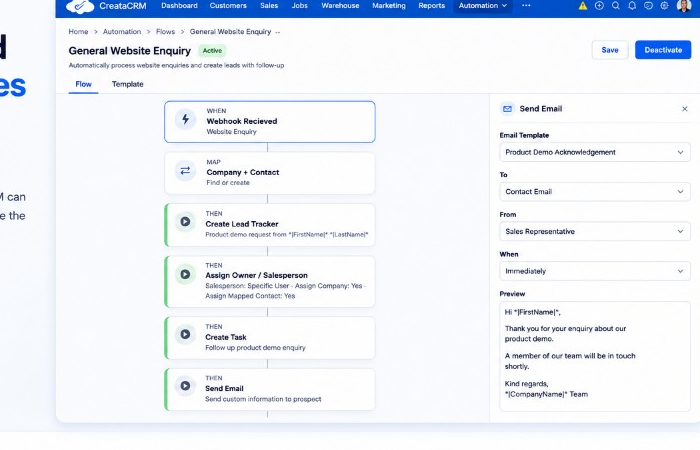
Flow Builder — configure processes around how you work
Stage changes and follow-up actions are set up in Flow Builder. A finished job can then notify accounts — and send a customer update where you configure it — so billing does not wait on someone remembering.
The job is marked complete. Accounts gets a reminder to invoice, using the same customer and job, when that automation is set up.
The process is built in Flow Builder. This is one result of it.
When work is ready to bill, CreataCRM can connect job activity through to invoicing and accounting where your integration supports it. Behaviour can differ between MYOB CRM integration, Xero CRM integration and Reckon CRM integration — see Accounting Integrations for the hub overview. If the bill starts from the quote, the Quote to invoice workflow covers partial amounts and selected lines.
The job is marked complete. Accounts raises the invoice from the same customer and job context instead of rebuilding the bill from scratch.
Operations and accounts stay on the same customer story
CreataAI can help surface work that needs focus — without defining job management as “AI first.” Use it for briefings and questions once jobs, tasks and processes are in place.
Before stand-up, the owner opens a briefing of active and ageing jobs, then works the Task Process Board with clear priorities.
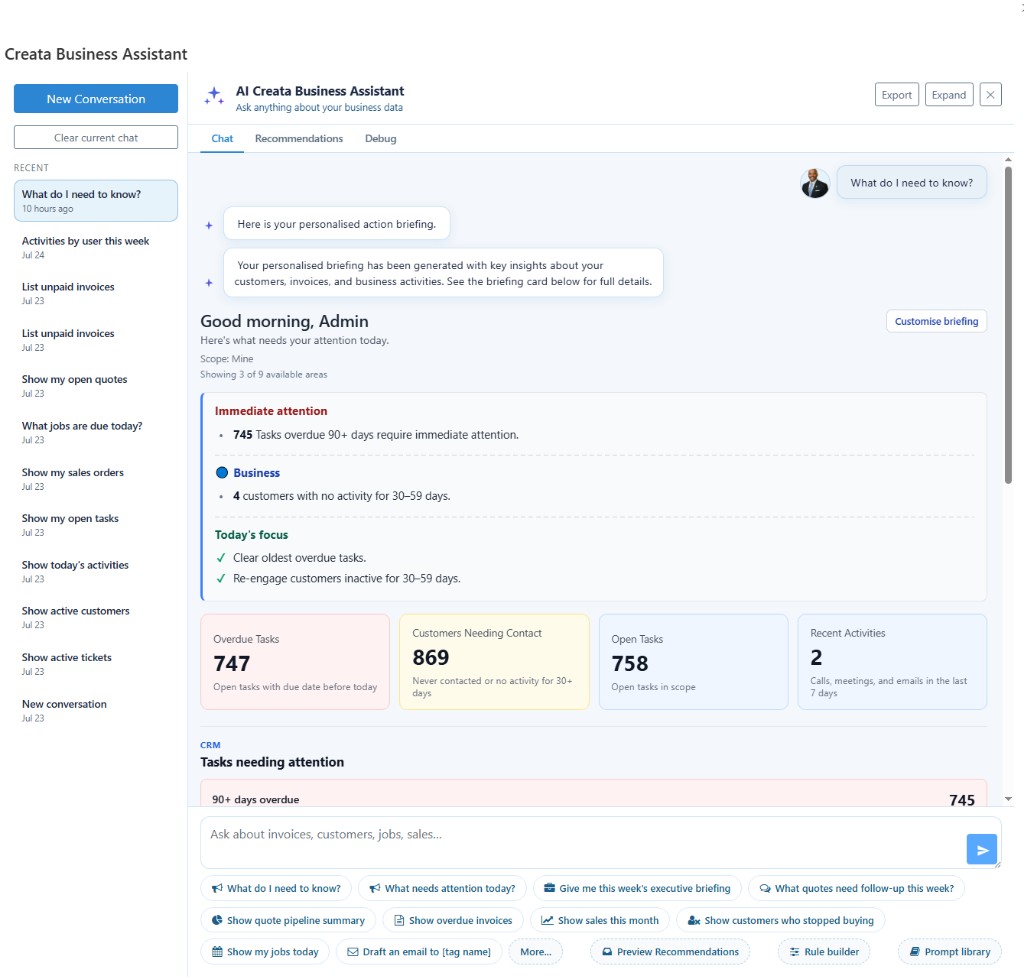
CreataAI briefings — attention on the work that matters
Staff can open relevant job and customer information away from the desk — instructions, lines, tasks, attachments and assignment without waiting on the office.
On site, the technician opens the job, checks instructions and attachments, and updates progress before leaving.
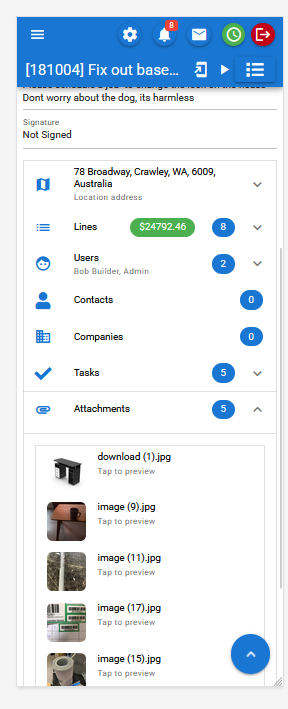
Job detail on mobile — context where the work happens
Built for established Australian businesses that need customers, sales, jobs, tasks and processes connected in one platform.
Customer → quote → sale → job → tasks → process → invoice stays on one record trail.
Task Process Board stages and Flow Builder processes can be shaped around how you actually deliver.
Won work can become jobs; completed work can connect to invoicing where your accounting integration supports it.
Local help for teams running MYOB, Xero or Reckon alongside CreataCRM.
Book a personalised demonstration using your typical customers, jobs, tasks and process stages.