Purchase Order
Stock on order

Stock, fulfilment and invoicing connected to your sales.
CreataCRM Warehouse helps Australian teams manage stock availability, pick–pack–ship sales orders and receive purchase orders — in the same platform as CRM, sales and accounting integrations.
Built for Australian businesses using MYOB, Xero and Reckon.
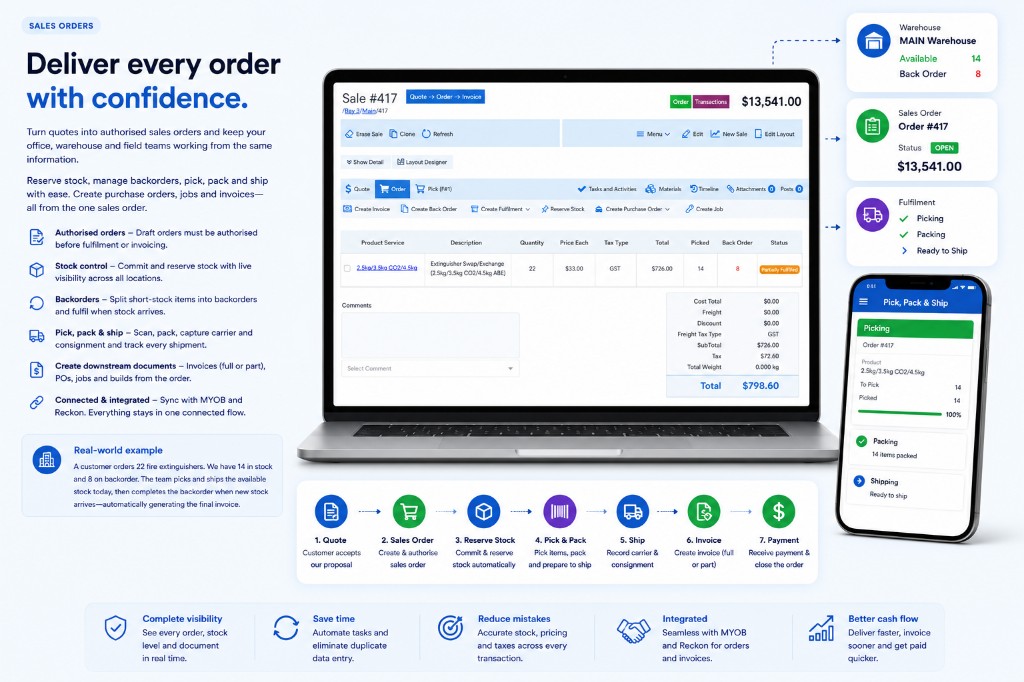
Fulfilment stays on the same sale as your customer and stock — so warehouse work does not start again in a separate system. Start in Explore Sales CRM, manage inventory here, then connect invoices through MYOB, Xero or Reckon (Accounting Integrations).
Authorised sales orders connect to warehouse stock so your team can reserve inventory, create fulfilments and track what is picked — without re-entering the customer or product lines.
A customer orders 22 units; 14 are on hand. The team reserves available stock on the same sale, picks and ships 14 today, and leaves the short quantity for when the next receipt arrives — then invoices from that fulfilment.
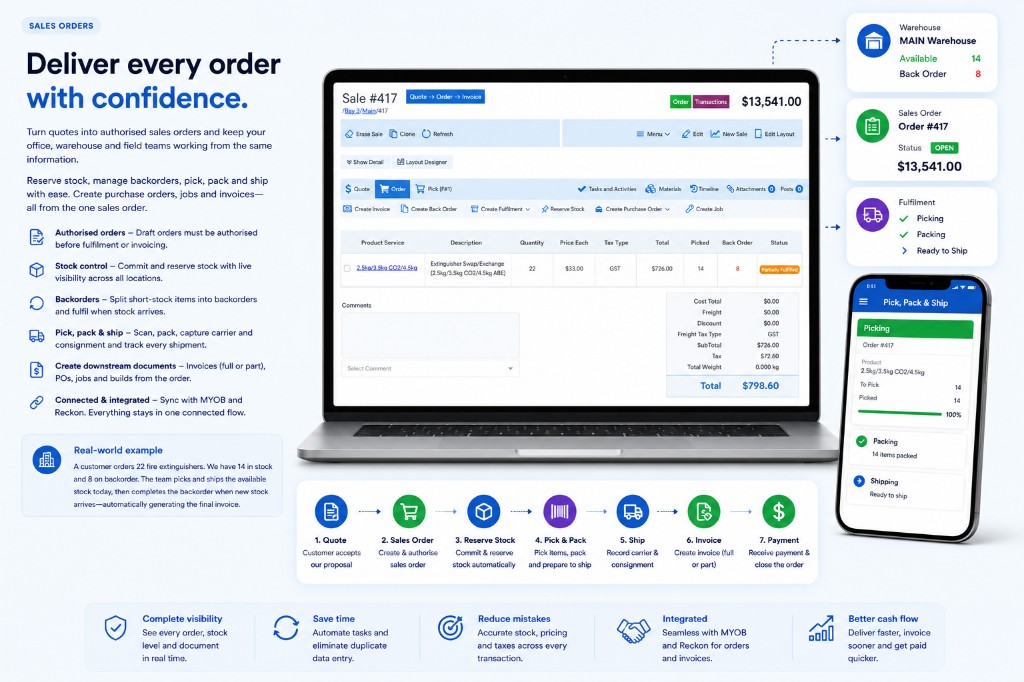
Sales order fulfilment connected to warehouse stock
View product stock with on-hand, committed, allocated and on-order quantities. Support multiple warehouses and locations so sales and warehouse teams share the same availability picture.
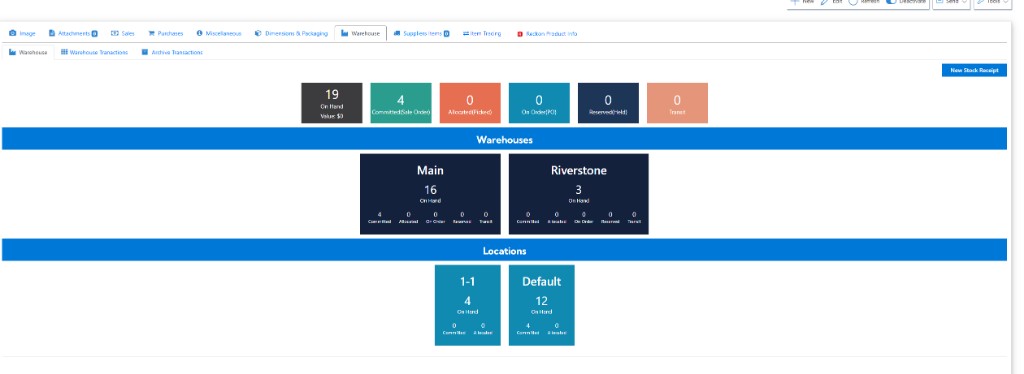
Stock availability by warehouse and location
Fulfil sales from warehouse locations, complete picking, prepare packages and record carrier, consignment and tracking details on the same sale.
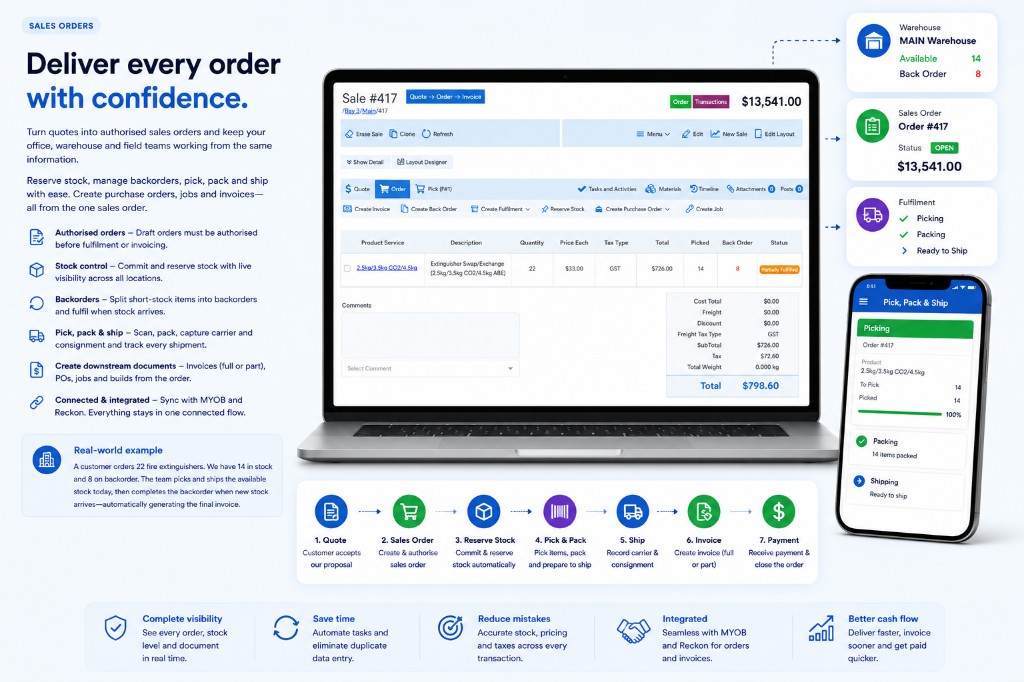
Pick, pack and ship on the connected sale
Warehouse staff can pick open sales on phone or tablet — scan items, choose pick locations and clear remaining quantities without returning to the desk.
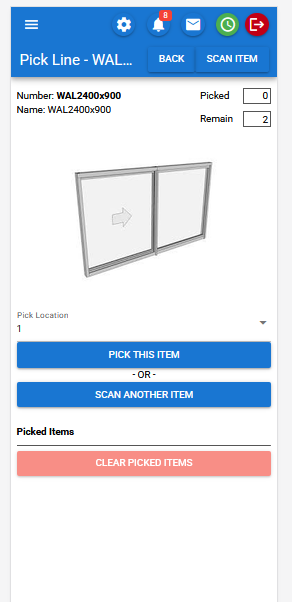
Mobile pick — stock work where it happens
Create invoices from the same sale that was picked and shipped, then push to your accounting package where the integration supports it — so warehouse completion and billing stay aligned.
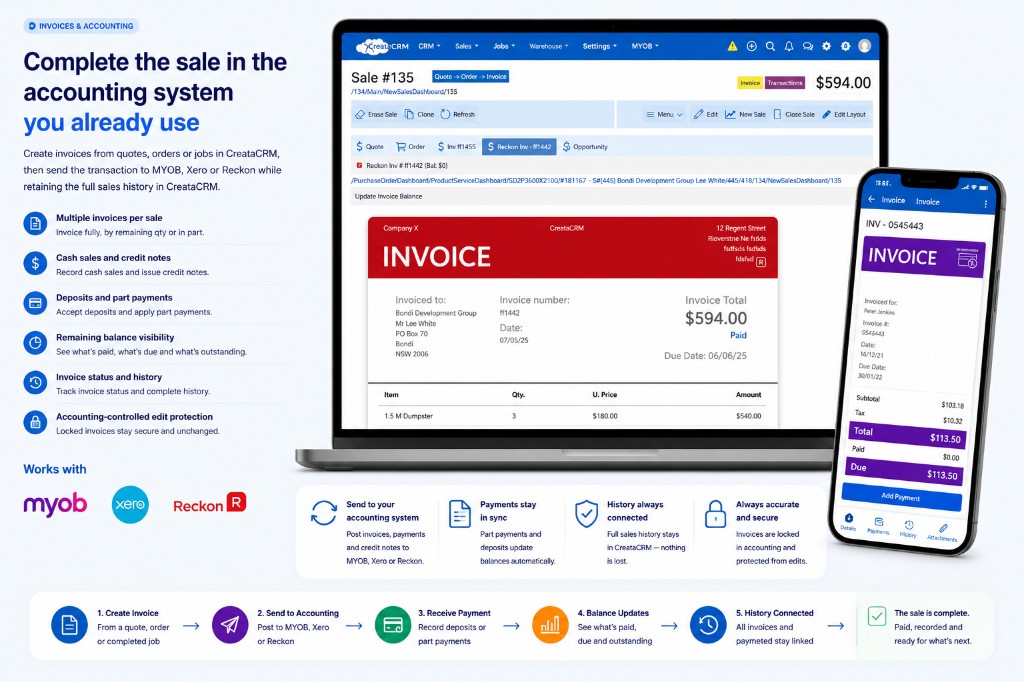
Fulfilment through to invoice and accounting
Bring stock in from purchase orders so on-hand quantities update in the warehouse your sales and fulfilment teams already use.
Stock on order
Receipt into warehouse
On hand updated
Receipt stock from open purchase orders to increase on-hand quantity and clear on-order balances for the products your warehouse holds.
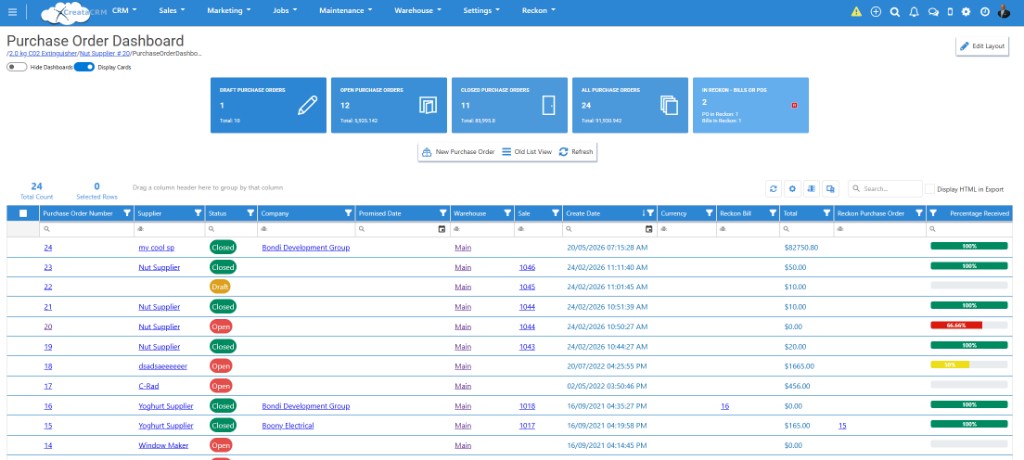
Inbound stock from purchase order to warehouse
Beyond the fulfilment path, CreataCRM Warehouse includes tools for moving stock between sites, counting inventory and reviewing movements.
Move stock between warehouses — send from one location and receive into another, with quantities and locations recorded on the transfer.
Run stock takes against warehouse stock, including count sheets by location for physical checks and adjustments.
Review warehouse transactions and stock movements so teams can see how on-hand quantities changed over time.
Operate more than one warehouse or location and see stock committed, available and on order across sites.
Warehouse is part of CreataCRM — not a standalone inventory silo. Customer history, sales orders, stock fulfilment and invoicing stay on one path.
Book a personalised demonstration using your products, warehouses, sales orders and accounting package.